knitCompanion
- 3.4
- Rating
- 100.00K
- Installs
- Free
- Price

 Analysis by App-foxy
When I first opened knitCompanion, I approached it with a very practical question: would it make an actual knitting session easier, or would it become another screen to manage? That is the right way to judge this lifestyle app from Create2Thrive Inc. Its purpose is narrow and clear: help knitters keep a pattern, their place, and their working notes together while their hands are busy. In my experience, that focus is its biggest strength.
The app is free to start, rated for Everyone, and currently sits at a 3.4 average from around 900 ratings. It has passed the 100K-install mark, which suggests that plenty of knitters have at least tried the digital approach. The store’s simple promise is about knitting more and spending less time undoing mistakes, and I found that the idea makes sense when a project is complicated enough to need constant checking.
It is not a general craft organizer, a social knitting community, or a replacement for learning basic techniques. I see it more as a working companion for the pattern already in front of me. That distinction matters, because the app becomes useful only after I bring a pattern and decide how I want to follow it.
You May Also Like

 Blood Strike: 2.5 Anniversary
Blood Strike’s Loadouts Turn Every Drop Into a Tactical Gamble
A close look at Blood Strike’s custom loadouts: how fast access to signature weapons reshapes its battle royale rhythm, rewards preparation, and narrows the gap between fights.

 Pandora - Music & Podcasts
Pandora’s Music Is Easy to Start, but Harder to Recover
Pandora’s strength is its low-effort path from a seed to a station. Its weak spot is how much confidence it asks you to place in connection, setup, and quiet recovery.

 8 Ball Pool
 Is Built on Rivalries, Rematches, and Routine
A close look at the rivalries, rematches, shared routines, and unanswered safety questions that turn a quick pool match into a persistent mobile community.

 Samsung Music
’s Quiet Strength Is Playing What You Already Own
Its reach comes less from spectacle than from dependable access to a personal library. That simplicity is both the app’s strongest retention engine and its ceiling.

 AccuWeather: Weather Radar
AccuWeather Review: A Quick, Clear Forecast for Everyday Decisions
For everyday plans, the best forecast is the one you can understand quickly. AccuWeather makes rain timing, radar, and local conditions easy to act on, with a few trade-offs.

 Hill Climb Racing
Why Hill Climb Racing Still Turns Crashes Into One More Run
A tiny car, a bumpy hill and one more upgrade: Hill Climb Racing keeps resurfacing because its simple chaos makes every near-miss feel personal.
More From Our News Desk
View All News


From a pattern on paper to a working project
I find the most useful way to judge a knitting companion is to look at the small pauses it can improve: setting a project aside, picking it up again, and checking a repeat without losing track of the stitches already on the needles. I’ll focus on that practical handoff, including where a digital workflow can save effort and where it still asks for attention. That leads naturally to the next section, which looks at turning a pattern into a working project.
The starting condition matters more than the download
The most important step happens before I begin knitting: choosing a pattern that I can actually work with digitally. A short, familiar pattern may not justify opening a dedicated companion app. If I am making a simple scarf with one repeated stitch, a printed sheet or a basic note is often quicker. The value appears when the pattern contains several pages, repeated sections, shaping instructions, color changes, or rows that are easy to confuse.
That makes the app especially suitable for garments, lace, cables, and other projects where I repeatedly look away from the needles to check the next instruction. Instead of treating the pattern as something I read once, I use it as a live workspace. The difference is subtle at first: I am not merely storing a document; I am trying to create a reliable path through it.
I also found that preparation affects the whole experience. A clean digital pattern is easier to work with than a cluttered scan or a page full of handwritten corrections. Before starting, I would decide which information needs my attention during the row and which information can stay in the background. That small decision reduces the temptation to stop constantly and search through every page.
Building the project around the way I knit
Once the pattern is available, the next useful habit is to set up the project before picking up the needles. I would identify the section I am actually working on, check the row or repeat structure, and prepare a place for progress markers. This is where the app feels different from a normal document viewer. A document can show the instructions, but a knitting companion needs to support the repeated handoff between reading, knitting, checking, and recording progress.
For a long pattern, I would avoid trying to organize everything perfectly from the beginning. A better workflow is to make the current section clear first, then refine the project as I move through it. That keeps setup from becoming a separate hobby. It also helps when a pattern has several possible starting points, such as a chart followed by written shaping instructions.
My practical advice is to test the pattern with a small portion of the project before committing to a full setup. Follow a few rows, move between the instructions and the knitting, and see whether the display and tracking method feel natural. If the process already feels slower than turning a page, the app may not be the right tool for that particular project.
The step-by-step flow during an ordinary session
A realistic session begins with the project open beside me and the yarn, needles, and pattern ready. I locate the row or instruction where I stopped, confirm the surrounding lines, and then start knitting. After completing a meaningful unit, I return to the app, check the next instruction, and update my place. This sounds simple, but the benefit comes from making the pause predictable rather than improvising it every time.
For repeated rows, I prefer working in small, deliberate checkpoints. I do not rely on memory just because the first few repeats feel easy. A missed decrease or an extra cable can remain invisible until much later, when correcting it becomes expensive. The app is most helpful when I use it as a record of what I completed, not as permission to stop paying attention.
Charts create a different rhythm. My eyes move between symbols, the needles, and the progress position, so I need a clear visual reference. I found that the app’s usefulness depends heavily on how comfortably I can inspect the relevant part of the pattern without losing context. For dense charts, I would rather spend time setting a readable view at the beginning than repeatedly zooming or searching in the middle of a difficult row.
There is also a useful distinction between row tracking and project tracking. Row tracking answers, “Where am I right now?” Project tracking answers, “What has been completed, and what remains?” I would use the first continuously and the second at natural stopping points. Mixing both into every pause can create unnecessary friction, particularly during a short evening session.
What happens when I stop halfway through
The handoff from one knitting session to the next is where a companion app earns its place. When I put the project away, I want to leave enough information for my future self to resume without reconstructing the last ten minutes. I would record the active section, the current row, and any unusual adjustment that could affect the next step. A simple progress mark is not always enough if I have intentionally skipped, repeated, or modified part of a pattern.
This is one of the less obvious strengths of using a dedicated knitting workflow: it encourages me to separate the pattern’s original instructions from my own project state. If I write directly over a printed page, my notes can become difficult to interpret later. If I keep everything in a general note-taking app, the pattern and the notes may drift apart. Keeping the working reference and progress decisions close together reduces that mental handoff.
Still, I would not assume that a digital marker automatically captures every decision. Knitting includes physical details that are hard to summarize: a slightly different tension, a provisional cast-on, a repaired stitch, or a place where I changed needle size. I would keep a short, specific note for those exceptions rather than expecting the app to understand them on its own.
Passing the project to another person
Knitting projects are sometimes shared. A friend may ask where a sleeve was left, a family member may continue a piece, or I may need to explain a pattern during a class. In those situations, a digital progress record can be more useful than a page covered in arrows and abbreviations. The handoff works best when I describe the project state in plain language: the section, the row, the repeat, and any deliberate change.
However, the app does not remove the need for communication. Someone else still needs access to the same pattern and enough context to understand my notes. I would not treat the project view as a complete instruction manual for another knitter. It is better understood as a shared reference point that supports the conversation.
This is also where the app may be less convenient than a familiar messaging thread or a notebook. If a group already has a smooth way to share pattern updates, adding another place to check can create confusion. The dedicated workflow is worthwhile when the project itself is complex enough to justify it.
What the finished workflow improves
The result I noticed was not that knitting became automatic. Rather, the app reduced the number of small decisions surrounding the pattern. I spent less energy remembering which row I had reached and more energy checking the actual stitches. That is a meaningful improvement for projects where one forgotten repeat can undo a long stretch of work.
It also changes how I return to a project after a break. Instead of opening a pattern and asking myself what the last completed instruction was, I can begin with the recorded working position and verify it against the fabric. That final verification is important. Digital tracking is a guide, not proof that the knitted piece matches the intended row.
For a knitter who regularly works on several projects, this kind of separation can be especially valuable. Each project has its own place, notes, and rhythm. I would still keep physical labels on yarn bags and project boxes, but the app can become the central reference for the pattern side of the work.
The free entry point makes experimentation easy, although individual in-app items are listed at $29.99 each. That is a substantial consideration, so I would not buy anything until I had tested the basic workflow on a real project and understood exactly how it fits my habits. The app’s current version is 3.0.14, and it requires Android 8.0 or later, details worth checking before relying on it for an active project.
Where the flow breaks in real use
The first weakness is the extra layer between me and the needles. Every digital tool introduces a device, a screen, and a moment of interaction. If I am knitting casually on the sofa, that may be acceptable. If I am traveling light, working outdoors, or trying to avoid handling a phone with yarn-covered fingers, paper can be more comfortable.
Screen dependence is another trade-off. A printed pattern does not dim, lock, run out of battery, or compete with notifications. Even when the app is well suited to tracking, I still need a sensible device position and enough visibility to read without constantly changing my posture. For long sessions, those practical details can matter more than the feature list.
There is also a learning curve in deciding how much to track. Marking every tiny action can make the session feel administrative. Marking too little leaves me uncertain when I return. I found the best balance by tracking the decisions that would be difficult to reconstruct from the fabric alone, while leaving obvious repeated movements to my normal knitting rhythm.
Another limitation is that no companion app can correct a misunderstanding in the pattern. If I read a chart incorrectly, confirm the wrong row, or fail to notice a symbol definition, a digital record may simply preserve the mistake neatly. I would still keep the pattern’s key abbreviations and special instructions visible, especially during the first repeat.
People who want a broad craft journal may also find the app too focused. A general notes app is better for combining photos, shopping lists, yarn inventories, measurements, and free-form reflections in one place. Someone who mainly wants video lessons may be happier with a learning platform. Someone who knits only very simple projects may find that a printed pattern and pencil are faster.
Who I would recommend it to
I would recommend this app to knitters who lose their place in multi-step patterns, move between projects, or frequently pause and resume over several days. It is particularly appealing if the frustrating part of knitting is not the technique itself, but remembering exactly where the technique belongs in the pattern.
I would also suggest it to an experienced knitter who wants a more consistent handoff between sessions. The app does not need to teach advanced knitting to be useful; its value is in keeping the working state organized. That makes it a practical companion for someone who already knows how to read the patterns they use.
I would be more cautious for beginners who still need explanations for basic abbreviations, chart symbols, or construction methods. The app can help organize instructions, but organization is not the same as instruction. A beginner may need a teaching resource alongside it, and adding both tools could feel overwhelming.
My recommendation is similarly cautious for anyone who dislikes screens while crafting. If the act of reaching for a phone interrupts your concentration, the digital advantages may not compensate for the annoyance. In that case, a printed pattern with a dedicated row counter could be the better choice, even for a complicated project.
My final take after following the whole process
What I like about knitCompanion is that it addresses a very specific problem: the gap between having a pattern and actually managing it while knitting. Its best use is not passive reading. It is the complete loop of opening a project, finding the working point, knitting a section, recording progress, and returning later without starting from zero.
The app’s strongest moment comes during long, interrupted projects. That is when a small progress error becomes a large repair job, and when a clear handoff saves genuine time. Its weakest moment comes during short, simple projects where setup and screen interaction feel heavier than the problem they solve.
With a 3.4 average and around 300 written reviews, the reception is mixed rather than universally enthusiastic, which matches my own balanced view. This is a focused tool with a focused audience. I would try the free experience first, use it on a pattern with real repetition and interruptions, and judge it by one question: did I spend less time recovering my place and more time knitting?
For me, the answer is yes when the pattern is demanding and the project lasts across multiple sessions. I would not use it for every cast-on, but I would keep it in mind for the projects most likely to punish a forgotten row. Its real payoff is a cleaner transition from one knitting session to the next.
FAQs for knitCompanion
01What is knitCompanion and what can I use it for?
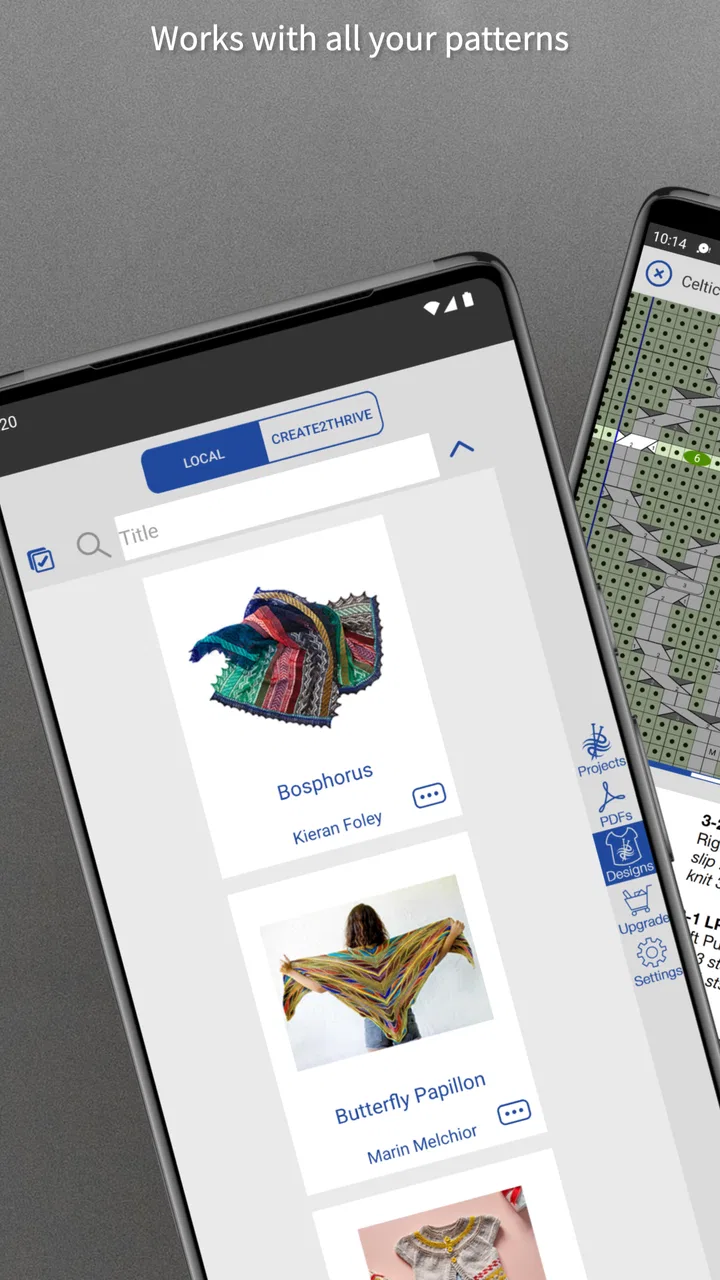
knitCompanion is a mobile companion for knitters who want to keep digital patterns, notes, counters, and project information together in one place. After importing or opening a compatible pattern, you can follow instructions on screen, mark your progress, add personal notes, and use tools designed for row and repeat tracking. It is especially useful for managing complex projects away from a printed pattern.
02Does knitCompanion include knitting patterns, or do I need to provide my own?
knitCompanion is primarily a pattern-management and project-tracking tool rather than a large pattern marketplace. You generally need to import patterns you already own or access them through supported services and libraries, depending on your account and platform. Before downloading, check how your preferred pattern source works with the app and whether any features require a subscription or separate purchase.
03Is knitCompanion suitable for beginners, or is it mainly for experienced knitters?
Beginners can use knitCompanion, but the app is most valuable once you understand basic knitting terminology and can follow a written or charted pattern. Its counters, highlighting, notes, and project tools may take a little time to learn. New knitters should expect to explore the interface before starting an important project, while experienced users may appreciate the greater control over complicated instructions.
04Can I use knitCompanion without an internet connection?
Many knitters use knitCompanion while traveling or working somewhere without reliable internet, but offline availability can depend on how a pattern was obtained and whether its files were downloaded or synchronized beforehand. It is wise to open each project while connected, confirm that the complete pattern is available locally, and test the tracking tools before leaving Wi-Fi. Online account or library features may still require connectivity.
05Is knitCompanion free, and are there in-app purchases or subscription features?
The app’s availability and pricing can vary by operating system, region, and the features included in the current release. Some basic functions may be available without payment, while advanced tools, synchronization, pattern access, or premium project features may require an in-app purchase or subscription. Review the listing for your Android or iOS device carefully, including renewal terms, before downloading or importing valuable projects.
Pros
- Clear
- detailed knitting charts with useful highlighting tools.
- Syncs project notes
- counters
- and files across supported devices.
- Works with many popular PDF knitting patterns and designers.
- Customizable row counters help track complex pattern sections.
- Useful for organizing an entire pattern library in one place.
Cons
- Many advanced features require a paid subscription.
- Initial setup can feel overwhelming for new users.
- Some pattern PDFs may import with imperfect chart recognition.
- The interface is more practical than visually polished.
- A larger screen is preferable for reading detailed charts.

knitCompanion
Gallery